

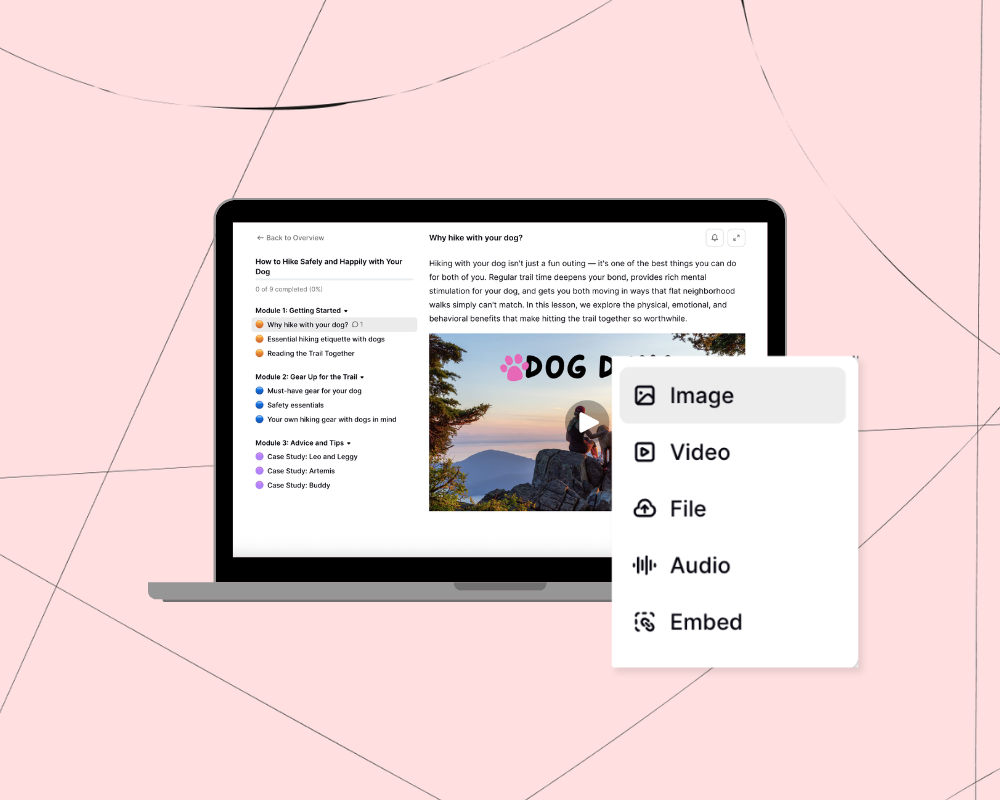

Building an online course can be a great way to earn money as a solopreneur. In fact, the median amount that people earn per course on Podia is $198 per month, and we’ve seen individual courses sell for over $100,000!
But while making an online course is a huge achievement on its own, long-term success comes when that course is part of a bigger business.
The opportunity keeps growing, too: Statista Market Insights projects the global online education market will reach $221.7 billion in 2026 and climb to roughly $289 billion by 2030. There have never been more people ready to pay to learn from you.
That’s why choosing the right online course platform isn’t just about where you host your lessons. It’s about finding a tool that helps you build everything else you need surrounding your course, like your website, landing pages, community, email marketing, affiliates, and other digital products.
That bigger-picture approach matters more every year. Goldman Sachs Research projects the creator economy will roughly double to $480 billion by 2027, and the creators best positioned to benefit are the ones who own their audience and sales channels rather than renting them.
In this article, we’ll cover:
- Why it’s important to pick a platform that helps you create a course and a business
- 11 best online course platforms for creators, solopreneurs, and small business owners
Every online business is unique, and we want you to find the tool that works best for you.
And hey, since you’re reading this on Podia’s website, you’ll see plenty of Podia love. We built it with creators like you in mind, and we truly believe you’ll love it too.
But at the end of the day, what matters most is that you have the right tools to succeed, no matter which platform you go with. So keep reading to find the best fit for your business.
Short on time? Try Podia free for 30 days and build courses, community, digital products, coaching sessions, and anything else your business needs. Everything is automatically connected to your website, blog, landing pages, and email marketing. Start your free trial!
There are hundreds of course builders. Where do I start?
The truth is, there are lots of great platforms for building courses.
These days, it’s expected that course platforms will let you set up modules and lessons, easily add course videos and content, customize your branding, and securely process payments.
But not all of them will have the features you need to create a great business. Sure, you may only want to build a course right now, but you’ll eventually need marketing tools to sell that course.
You’ll probably want a website or at least a sales page to promote what you’ve made. And it would be helpful to have email marketing, a blog, and features like coupons and upsells to connect with people and get them excited to buy.
Using separate platforms for all these things gets complicated and expensive fast. That’s why we recommend picking an all-in-one tool that will let you build your dream course, but also everything else you need to build a business off the back of that course.
How did we come up with this list?
To put together this list, we specifically looked at how each platform performs for creators teaching what they know. What features do they have for building your business? How easy is it to get started? Can you do everything you need to do in one place?
As composer and music entrepreneur Robert Rodriguez puts it, “I don’t want to deal with multiple companies and multiple subscriptions. I want one place to handle all (or at least most) of my business tools.”
And personal finance educator Johan Lobmeyer says, “When you start your business, you want to keep things simple and cannot afford to waste time integrating dozens of tools together.”
So we kept this feedback front of mind as we researched the course-building (and business-building) capabilities of each tool.
For each platform on the list, we watched demos and found recent tutorials to see how different features work. In some cases, we were able to sign up for free trials to test the startup process. We also powered through a small library's worth of help center docs, pricing pages, and support resources for each platform (so you don’t have to).
Most importantly, we drew on feedback and interviews from our customers over the years, since solopreneurs like you are the experts.
11 best online course platforms for creators and entrepreneurs
Here’s a quick look at the top course platforms and who they’re best for. Keep reading for the nitty gritty details.
- Podia: Best all-in-one platform for courses, communities, and creators
- Kajabi: All-in-one platform with high-ticket pricing
- Thinkific: Course platform with an app store for add-ons and enterprise options
- Teachable: Courses and coaching with built-in affiliate tools
- LearnWorlds: AI course platform with interactive video tools and a mobile app option
- Systeme.io: Funnel-first platform with courses and an affiliate marketplace
- Teachery: Basic course builder with lifetime pricing
- Stan Store: Link-in-bio tool for selling courses through social media
- Payhip: Sell courses alongside physical products
- Udemy: Learning marketplace with a built-in audience
- Skillshare: Subscription-based learning platform with revenue sharing
#1 Podia: Best all-in-one platform for courses, communities, and creators
Podia is an all-in-one platform where you can sell online courses, build a website, run your community, and offer digital downloads, coaching, and events. You can also do email marketing, manage your affiliate program, and message your customers from one dashboard.
All Podia plans come with courses and products so you can make whatever you want, and setting up your first course is a breeze. Just select a new course product in your dashboard and click to add text, videos, audio files, quizzes, coaching sessions, and file downloads to your lessons and modules. You can also embed elements from 1900+ sources, including YouTube, Vimeo, SoundCloud, Spotify, Google Slides, TikTok, Instagram, GitHub, and Google Forms.
Courses in Podia can be self-paced or cohort style, and you can set future start dates and seat limits. You can make timed access limits, drip out course content over time, and include access to other products within your courses. You can also enable comments and bundle courses with community spaces so your students can collaborate.
For Bex Irvine, setting up courses in Podia couldn’t be easier. She says, “I just pop in my text and videos and publish.”

Once you’ve added your course material, use Podia’s beginner-friendly page builder to design a course website or sales page for your offer. Podia automatically generates a sales page for each product you create, and you can use this as is, or customize it however you like.
Now you’re all set to share your course with your audience and watch the sales roll in. And when you’re ready to expand with other products, blogging, affiliates, sales funnels, or email newsletters, Podia has all those features ready to go so you don’t have to learn any new tech.
According to professional bladesmith Ben Abbott, “I’ve always dreamed of creating online classes that help bladesmiths of all skill levels improve their craft. Podia has helped make that possible through their incredibly straightforward and powerful platform.”

How does it help me grow my business?
Podia offers all the functionality you need to build a business around your core course offer. We’ve seen thousands of creators build wildly successful course businesses, but it’s rarely just the course that leads to growth.
They also have a great website, landing pages, community engagement, email marketing, and other products to offer their customers.
All Podia plans include all email marketing features (like automations, newsletters, email templates, segmentation, tagging, and campaigns) for a set number of subscribers per plan. If you like, you can upgrade your Podia Email plan to add more subscribers as your list grows.
Podia also includes a free migration service when you sign up for any paid plan. This means our team will move your products and customers over from another platform for free so you can get started fast.
On top of that, you’ll have tons of support resources to keep the momentum going, including our top-tier customer support, access to the expert Podia Pros, and the Podia Community. As sketchnote artist Emily Mills puts it,
“On my old course platform, I had a lot of problems. The customer service was really slow and impersonal, and it was just a bad experience. When I switched to Podia, it was just a night and day difference. The customer service has been fast and personal, it’s easy to use, and it’s creator-focused. The platform isn’t getting in my way, and I’ve been able to make a lot more money with Podia.”

Podia pros:
Podia has a free trial where you can build your website, set up your blog, and start selling courses and products before opening your wallet. All plans include courses, community, and digital products. Courses can be pre-launched, presold, waitlisted, or sold as bundles, and you can format your material into a cohort, drip, or self-paced program.
Podia cons:
Podia is a turnkey solution, so if you prefer to build your course and website from scratch with the help of a developer, it won’t be the best fit.
How much does Podia cost?
Podia has three plans: Mover, Shaker, and Earthquaker.
- Mover ($49/month or $42/month billed annually, 5% transaction fee): Includes your website, blog, landing pages, community, courses, and digital products, with 50 products, 500 videos, and 25 community spaces.
- Shaker ($99/month or $84/month billed annually, no transaction fee): Everything in Mover, plus affiliate marketing, upsells, 1 assistant seat, and integrations with PayPal, Zoom, and Zapier, with 150 products, 1,000 videos, and 100 community spaces.
- Earthquaker ($179/month or $150/month billed annually, no transaction fee): Everything in Shaker, with unlimited products, unlimited assistant seats, unlimited video storage, and unlimited community spaces.
All plans include email marketing with automations, newsletters, templates, segmentation, tagging, and campaigns. Mover includes up to 100 email subscribers, Shaker up to 500, and Earthquaker up to 1,000. You can add more subscribers on any plan as your list grows.
Podia also includes a free migration service on all paid plans. The team will move your products and customers over from another platform so your online course business can hit the ground running.
#2 Kajabi: All-in-one platform with high-ticket pricing

Kajabi is an all-in-one platform where you can sell courses, downloads, coaching, podcasts, memberships, and communities. You also get email marketing tools, sales funnels, and affiliate management.
One perk of Kajabi is that they include templates for self-study, drip, and membership courses. You can add as many modules and lessons as you like, including videos, assessments, audio files, text, and downloadable content. You can also create quizzes and assessments, and even require students to complete them before moving on to the next lesson.
Kajabi also includes the option to set up a branded mobile app for your business. This is included on the Pro plan, and gives your audience a dedicated place to access your content on their phone.
How does Kajabi help me grow my business?
Kajabi has your courses, products, website, email marketing, and sales funnels all connected. It also has a pipeline tool that lets you build more advanced sales funnels if that's something you want to invest time in.
That said, all plans come with strict product limits, and the pricing is one of the highest in the category. The Basic plan starts at $179/month and only includes 5 products. That doesn’t give you much flexibility to experiment with different ideas, which could slow you down as you grow.
If you have a limited number of products and the budget for it, Kajabi can be a solid choice for building something fully custom. Just keep an eye on where you'll land as your product count increases.
Kajabi pros:
You can use Kajabi to sell courses, downloads, coaching, communities, and memberships. There are website templates to help you get started quickly, and there’s a pipeline tool you can use to build advanced sales funnels. On the Pro plan, you can add on a branded mobile app for your business, and there are no additional transaction fees when using Kajabi Payments.
Kajabi cons:
Kajabi is one of the more expensive course platforms available, and on top of that, they have strict product limits on most plans (the Basic plan only allows 5 products at $179/month). Kajabi also has contact limits on all plans.
(If you want to make lots of products in your business, or just want more room to grow, you might prefer one of these Kajabi alternatives instead.)
While they technically don’t charge transaction fees, if you use a third-party payment provider, you'll pay an additional fee on top of standard processing (2% on Basic, 1% on Growth, 0.5% on Pro)
How much does Kajabi cost?
Kajabi has three pricing plans:
- Basic ($179/month or $143/month billed annually): 5 products, 1 website, 1 community, 2,500 contacts, unlimited landing pages and marketing emails
- Growth ($249/month or $199/month billed annually): 50 products, 1 website, 1 community, 25,000 contacts, plus affiliate marketing, advanced automations, third-party integrations, and the ability to remove Kajabi branding
- Pro ($499/month or $399/month billed annually): Unlimited products, 3 websites, 3 communities, 100,000 contacts, plus a branded mobile app, API access, and a custom code editor
#3 Thinkific: Course platform with enterprise options

Thinkific is an online course creation platform where you can offer self-study courses, live lessons, video trainings, and cohort programs. You can build a website or storefront for your business, and there are templates to help you get started.
Within the course builder, you can add downloadable content, quizzes, surveys, and videos. Higher-tier plans let you enable prerequisite lessons and require students to work through modules in order. Thinkific has also been leaning into AI features across different parts of the product, including AI teaching assistants and AI content creation tools.
For larger organizations, Thinkific has enterprise options like branded mobile apps (available as an add-on) and a corporate learning tier called Thinkific Plus, which is custom-priced and requires you to contact their sales team.
How does Thinkific help me grow my business?
All Thinkific paid plans come with unlimited courses and up to 10,000 students, plus you can visit their app store to connect additional tools if you need functionality that isn't built in. You can also diversify your offerings with other product types and a community, so you have more ways to serve your audience. If you’re interested in AI assistance, Thinkific has some AI elements built in.
Thinkific pros:
All paid plans include unlimited courses with no transaction fees. You can create a community, sell digital downloads, offer coaching and webinars, and create paid memberships. And you can set up a website and landing pages to promote your offers. You can also connect tools from the Thinkific app store to extend functionality.
Thinkific cons:
All plans have a student cap of 10,000 students. If your audience grows beyond that number on any standard plan, you'd need to remove students, switch to a Thinkific alternative, or move to Thinkific Plus, which is enterprise territory with custom pricing. If growing a large audience is part of your plan, that ceiling is something to think about before committing.
How much does Thinkific cost?
Thinkific has three main pricing plans plus an enterprise-level tier called Thinkific Plus.
- Start ($99/month or $74/month billed annually): 10,000 students, unlimited courses, live events and coaching sessions, 1 community with 10 spaces, memberships and subscriptions
- Grow ($199/month or $149/month billed annually): 10,000 students, unlimited courses, 3 communities with 20 spaces each, ability to remove Thinkific branding, and third-party integrations
- Expand ($499/month or $374/month billed annually): 10,000 students, unlimited courses, 10 communities with 200 spaces, more admin accounts, and revenue sharing options
- Thinkific Plus: Custom pricing, contact their sales team
#4 Teachable: Courses and coaching with affiliate tools

Teachable is a platform where you can sell courses, downloads, and coaching packages to your audience. All plans come with course features like basic quizzes, course design templates, and drip content. Higher-tier plans also include graded quizzes, course completion certificates, course compliance tools, and built-in affiliates.
While it is possible to set up landing pages and a basic website in Teachable, there is no blogging feature. Email marketing is also fairly limited. It is only available on the Builder plan and above, and it only lets you message people who have already enrolled or purchased through your school. For more advanced features like automated campaigns and scheduling, you will need to bring in a separate email tool.
How does Teachable help me grow my business?
The main draw of Teachable is that you can make several different types of products in one place. The platform also has a solid built-in affiliates feature that handles payouts for you, so you can grow through word of mouth and customer recommendations without a lot of extra admin work.
Teachable pros:
Teachable has course compliance tools like lesson order enforcement, so you can make sure students move through your material the right way. The affiliate center is a standout feature, with automatic payouts built in. There is also a student referral feature and helpful selling tools like order bumps, upsells, and coupon codes.
Teachable cons:
Every Teachable plan has both product limits and student caps, which can become a real constraint as your business grows. The Starter plan limits you to 5 products and 100 students. Even the highest standard plan caps you at 50 products and 5,000 students.
If your business grows beyond that, you would need to negotiate a custom Enterprise plan or pick a Teachable alternative.
It is also worth noting that Teachable no longer includes a community feature, so you will need a separate tool if building a space for your audience is part of your plan. There is no blogging tool, and email marketing is limited to higher tier plans, so you might need additional tools for those features too.
How much does Teachable cost?
Teachable has three plans, plus a custom Enterprise option for larger organizations.
- Starter ($39/month or $29/month billed annually, 7.5% transaction fee): 5 published products, up to 100 students, course certificates, upsells, and cart recovery
- Builder ($89/month or $69/month billed annually, no transaction fee): 10 published products, up to 1,000 students, everything in Starter plus affiliates and real-time support
- Growth ($189/month or $139/month billed annually, no transaction fee): 50 published products, up to 5,000 students, 5 admin users, everything in Builder plus the ability to import students and remove Teachable branding
- Enterprise: Custom pricing, contact Teachable's sales team
#5 LearnWorlds: AI course tool with interactive video

LearnWorlds focuses almost exclusively on courses, and you can set up interactive videos, build assessments and surveys, offer live sessions, and use built-in AI tools to help with content creation. (LearnWorlds leans heavy into AI features and they’re included on all plans.)
There are some unique features designed to make your courses stand out, like video transcripts, video overlay buttons, and a way for students to highlight content inside your course. You can customize the flow of your courses with drip content, public and private course sections, and free and paid offers. All plans also include communities, which is a newer addition to the platform.
LearnWorlds can be used for website building, but there is no blogging feature, so you will need another tool if content marketing is part of how you grow your audience. On the email side, mass emailing is available on the Pro Trainer plan and above, and automations are available on the Learning Center plan. For anything more advanced on lower plans, you will need a third-party integration.
There is also a mobile app builder available for an additional fee of $149/month, so if you need a custom-branded app for your audience, that option exists.
How does LearnWorlds help me grow my business?
LearnWorlds has a solid set of tools for marketing and selling your courses, including a website builder, affiliate management, a pop-up builder, and subscriptions and memberships. Lots of interactive and structured learning experiences you can use to make your programs flow exactly the way you want.
That said, if you think your business might expand beyond courses over time, the platform can start to feel limiting. Downloads, coaching, and webinars are not as central, and email marketing requires upgrading to a higher plan or plugging in a separate tool.
LearnWorlds pros:
LearnWorlds has interactive video tools that are pretty unique compared to most course platforms, and you can gamify your videos, add transcripts and subtitles, and track watch trends for your content. Affiliate management, subscriptions, bundles, and a pop-up builder are all included on higher plans.
LearnWorlds cons:
LearnWorlds is heavily geared toward course creators, which works well if courses are your only focus. But if you want to also sell downloads, run coaching programs, or build a more connected community experience, you may find yourself hitting walls as your business grows.
Email marketing is limited on the lower plans, with mass emailing only available from Pro Trainer and automated campaigns only on the Learning Center plan. There is no blogging tool at any tier.
You also can’t create free courses on the Starter plan because of the transaction fee structure. The Starter plan charges a $5 fee per course enrollment, which adds up quickly on lower-priced products. You need to upgrade to Pro Trainer to remove transaction fees entirely.
How much does LearnWorlds cost?
LearnWorlds has three plans. Annual billing saves up to 20%.
- Starter ($29/month or approximately $24/month billed annually, $5 per course enrollment): Unlimited paid courses, 3-page website, 1 admin, unlimited communities, and AI tools
- Pro Trainer ($99/month or approximately $79/month billed annually, no transaction fees): Everything in Starter, plus unlimited free and paid courses, unlimited website pages, mass emails, subscriptions and memberships, affiliate management, and 5 admins
- Learning Center ($299/month or approximately $249/month billed annually, no transaction fees): Everything in Pro Trainer, plus interactive videos with AI, automated captions, automations, advanced reporting, unlimited SCORMs, API and webhooks, and 25 admins
#6 Systeme: Funnel platform with courses

Systeme is an all-in-one marketing platform where you can sell courses, build communities, host pre-recorded webinars, and sell physical products. You also get a website and blog builder, sales funnels, and email campaigns.
Sales funnels are at the core of how Systeme works, and most parts of running your business flow through them. To sell a course, for example, you create the course in one area, then head to the funnels section to build a sales page, checkout page, and any other steps you want.
(Though I’ll admit, when I tested out Systeme for this article, I got lost trying to figure out where to connect each funnel step. Expect a bit of a learning curve.)
One distinctive feature of Systeme is a built-in affiliate marketplace. When you create a course, you can list it in the marketplace so that other Systeme users can promote it for a commission, which gives you a way to grow through word of mouth without building your own affiliate network from scratch.
How does Systeme help me grow my business?
Systeme is built around selling through funnels, and if that is your primary focus it covers a lot of ground at an affordable price point. There is a free plan for testing the platform, and paid plans stay reasonably priced even as you scale. You can also sell physical products and manage shipping and inventory if you have physical goods to offer.
Systeme pros:
There is a free plan that includes one course, one community, and three funnels, which is useful for testing things out before you pay anything. Systeme doesn’t charge transaction fees on any plans. On top of that, the funnel builder has a good range of steps and templates to work with, and the built-in affiliate marketplace is a unique way to get your products in front of new audiences.
Systeme cons:
The platform is built around funnels, which means the setup can feel unintuitive if that’s not a core part of your business. Webinars are only available on the Webinar plan and above, and they have to be pre-recorded rather than live.
The free plan caps students at 500, and lower-tier plans have limits on courses, communities, automation rules, and funnels. Support is available via email, but there is no live chat option if you need a quick answer. If you run into something confusing while setting things up, getting help may take some time.
How much does Systeme cost?
Systeme has four plans:
- Free: $0/month: 2,000 contacts, 3 funnels, 1 course, 1 community, 500 students, 1 automation rule, and 1 custom domain
- Startup: $17/month (or $170/year billed annually): 5,000 contacts, 10 funnels, 5 courses, 5 communities, unlimited students, 10 automation rules, and 3 custom domains
- Webinar: $47/month (or $470/year billed annually): 10,000 contacts, 50 funnels, 20 courses, 20 communities, unlimited students, 100 automation rules, evergreen webinars, and 10 custom domains
- Unlimited: $97/month (or $970/year billed annually): Unlimited contacts, funnels, courses, communities, students, automation rules, and custom domains
#7 Teachery: Basic course builder with lifetime pricing

Teachery is simple but effective software made for course creators, by course creators. It doesn't have a ton of bells and whistles, but it's a straightforward option if you want to launch an online course.
Teachery features a course builder with customizable fonts, colors, and styles. Within your lessons and modules, you can embed video, audio, and slide presentations. To promote your course, you can create unlimited payment pages, sales pages, and email capture forms, as well as upsells, promo codes, affiliates, and course gifting.
One thing to consider is that Teachery is only set up for selling courses and course bundles. There isn't a feature for offering downloads, coaching, communities, or webinars, and there isn't a full website builder or blogging tool. Teachery also doesn't have built-in email marketing, but they do integrate with third-party email services.
How does Teachery help me grow my business?
Teachery has simple pricing and unlimited courses, students, and landing pages on all plans. The only difference is whether you pay monthly, annually, or lifetime. This is a good option if you already have a tool for your email and website that you like, as these business-building features aren't included.
Teachery pros:
Teachery lets you make as many courses as you want and customize them using the style editor. There are marketing tools like coupons, upsells, and affiliates, and there are no transaction fees on any plans.
Teachery cons:
Teachery is not optimized for selling digital downloads or services. There's no community feature, and they don't provide video or audio hosting, so you'll need to embed videos from third-party providers like YouTube and Vimeo. They also don't have a website builder, blogging, or email marketing, so you'll need integrations to add these features to your course business.
How much does Teachery cost?
Teachery has three plans, all with the same features. The only difference is the payment interval.
- Monthly Plan, $49/month: Unlimited courses, unlimited students, unlimited landing pages, custom domain, and customer analytics
- Annual Plan, $470/year: All features at a discounted rate
- Lifetime Plan, $550 one-time: All features for a single payment
#8 Stan Store: Link-in-bio tool for selling on social media

Stan Store is a link in bio tool that also has features for selling courses and other products. You can use the platform to set up online courses, webinars, digital products, coaching, and memberships, and everything is available to buy right from your link in bio.
There are 11 different templates to choose from for your Stan Store page, and each one can be customized with your preferred font and two brand colors. You can also set up mobile product pages for each of your products using Stan Store’s pre-defined templates.
While you can technically use the platform to make as many courses as you like, Stan Store recommends listing 3-5 offers on your page so that mobile viewers don’t have to scroll too long to see all your stuff.
You can also add elements to your page like an email sign-up form, bio text, and links to your other social channels, but overall the design elements are pre-set by the template you choose. If you like the templates provided and don’t need to make a ton of customizations, this might not be a problem though.
Stan Store also has a built-in affiliate feature and email marketing for your business. The email is available on the Pro plan, and it includes basic broadcast emails and automated emails called Flows.
How does it help me grow my business?
Stan Store is a good option if you want to grow your business over social media. Everything from your sales pages to courses are formatted for mobile first, so all you need to do is add your products, link them to your Stan Store homepage, and you’re ready to sell through social.
You can create lots of different product types, promote your products through affiliates, and upgrade for basic email marketing to stay in touch with people.
Something to be aware of though is that you may still need a website for your business if you want to grow beyond social media, which is something we recommend doing for more stability and control over your audience.
Stan Store Pros:
Stan Store makes it easy to set up a link in bio fast with premade templates. You can sell courses and products from your bio link, set up affiliates, and collect email addresses through subscription forms. There are no transaction fees on either Stan Store plan.
Stan Store Cons:
The main limitation of Stan Store is that it’s not a full website for your business – it’s a nice link in bio tool with your products attached, but it likely can’t replace a full website with a blog and customizable landing pages.
This is great if you’re exclusively reaching your audience through social media, but if you want to contact people other ways down the line, you’ll need other tools. Plus, as your business grows and you offer more products, trying to condense everything into a list of buttons in your bio might start to feel limiting.
The other thing that could be a pro or a con is that there are just a few fixed templates with limited customizations. You won’t be able to change the look and layout of your homepage, products, or landing pages very much, but if you like the templates that come out of the box, it might not be an issue.
How much does Stan Store cost?
- Creator: $29/month (or $300/year billed annually): Social bio page, digital products, community, calendar bookings, unlimited courses, subscriptions, and lead magnets
- Creator Pro: $99/month (or $948/year billed annually): Everything in Creator, plus email broadcasts, email automations, payment plans, upsells, discount codes, and affiliates
#9 Payhip: Sell courses and physical products

Payhip is an all-in-one option for selling digital downloads, courses, coaching, and physical products. To market your products, Payhip has coupons, affiliates, upsells, and referrals.
When I tested the course builder, it was easy to add my content and customize my sales page, checkout page, and thank you page. I could add unlimited lessons and modules, but each lesson could only fall under one category (like video, text, quiz, download, embed, etc.). I was also able to add course certificates and set up drip content.
There’s also an online store feature with blogging so you can grow your reach and get discovered by new course customers. It’s fairly easy to set up, but the available templates and sections definitely make your page look more like a storefront than a traditional website, so that’s something to consider.
Payhip also offers a basic email update feature that lets you send a blast to your customers. For more email marketing functionality, like running automations and building sales funnels, you’ll need to use a third-party email tool.
How does it help me grow my business?
Payhip is a good choice for selling physical products along with digital products since it has that functionality built in. It’s a good choice if you already have a website and email provider you like, but you just need a tool for listing and delivering products to your audience.
Also, there’s a marketplace feature where you can list your products so they can be discovered by other Payhip users.
Payhip Pros:
Payhip comes with unlimited products and sales on all plans, including the free plan. You can sell tons of different products along with your courses, including physical products. You can build a simple storefront and a blog, and collect email signups directly on your store.
Payhip Cons:
You’ll need to use an email integration to do any advanced email marketing or automations with Payhip. While email blasts to customers are supported, you must connect (and potentially pay for) an extra tool if you want to run campaigns and automations or send designed newsletters to your audience.
How much does Payhip cost?
- Free Plan ($0/month): Access to all features, unlimited products, unlimited revenue. 5% transaction fee.
- Plus Plan ($29/month): Access to all features, unlimited products, unlimited revenue. 2% transaction fee.
- Pro Plan ($99/month): Access to all features, unlimited products, unlimited revenue. No transaction fees.
#10 Udemy: Online course marketplace

Udemy is an online course marketplace where creators can sell video courses to a wide audience.
It’s free to join as an instructor, upload your course videos, and set your price, but your product must meet Udemy’s quality requirements and fall under an approved topic. According to Udemy’s support documentation, courses should have at least 30 minutes of video content and at least five modules or lectures.
While some creators like selling on course marketplaces like Udemy for greater audience reach, Udemy has a lot of limits on what you can actually make. Your courses must follow their guidelines and you can’t customize your course listing or create landing pages. You don’t have tools to build a website or storefront, nor can you make any other types of products.
Digital art course creator Carles Marsal switched away from Udemy “to keep everything in one place and have control over how my courses and products are shown and sold. I really wanted to look different, with a more personal approach to my audience.”
How does it help you grow your business?
With Udemy, you can list your course as part of the Udemy Deals program where Udemy will discount it and promote it to their existing customer base. This is great for getting more eyes on your work, but you typically won’t earn as much as if you sold your courses yourself on a platform that you control.
Udemy pros
If you want, you can have Udemy promote your courses for you so your marketing can be more hands-off. Udemy is also an established site with name recognition and a large existing audience, making it easier for students to discover you.
Udemy cons
On Udemy, you have less control over your content, branding, and income. You don’t own your audience, and you can’t migrate your student list off of the platform in the future. Also, you can’t run cohort courses, live courses, or membership courses.
There’s no way to gather student email addresses, and you’re limited to Udemy’s product listing templates and course requirements. If you want to build your own website or sell other types of products in the future, you’d need to use another platform.
How much does Udemy cost?
It’s free to join Udemy as a creator, but you’ll be part of Udemy’s revenue-sharing plan.
- Udemy takes 3% when a student signs up using your instructor referral code
- Udemy takes 63% if a student signs up through the Udemy marketplace or a Udemy ad
Udemy’s steep revenue-sharing plan can mean lower earnings for instructors. For instance, John D Saunders earned $1,100 from his course on Udemy, but when he moved that same course over to Podia, it earned him over $200,000 in sales and $10,000 of that was from launch day alone!
#11 Skillshare: Earn royalties for course views

Skillshare is an online learning platform where instructors can upload video courses and make money through royalties. You don’t set a price for your courses and won’t have to do as much marketing, but you may earn less than if you sell your program independently.
Here’s how it works: Skillshare members pay a monthly fee for unlimited access to all courses on the platform, and teachers earn money based on how many minutes students watch their videos. Teachers can also earn by referring students to Skillshare.
Skillshare only accepts classes taught in English, French, German, Portuguese, or Spanish, and there are limits on what types of topics you can cover. Skillshare mainly looks for topics related to creativity, productivity, marketing, and personal development, and courses are usually 30-40 minutes long with a class project or activity.
There’s no cost to upload your class to Skillshare, but you’ll need to be approved to teach and you won’t start earning until you have some watch time on your videos.
How does it help you grow your business?
Skillshare can be a source of royalty revenue for creators, but it doesn’t help you build a business beyond that monthly income. You can’t build an email list or sell other products to your students, so you’ll need to use other tools to stay in touch with your audience and expand your offers.
That said, there are some successful Skillshare creators who send people to their Skillshare courses using their affiliate code which adds another stream of revenue.
Skillshare pros:
Because Skillshare is an online learning library, there’s less marketing required on your end. Skillshare already has a built-in audience, which may mean more eyes on your classes without a ton of lift from you. It’s also free for creators to get started.
Skillshare cons:
When you offer your courses on Skillshare, you don’t own your audience. You can’t build an email list of customers or leads, which makes it difficult to build a following and expand your revenue.
All lessons must meet Skillshare’s guidelines, which means you have less creative control over your work. There isn’t a community feature, and you can’t sell digital downloads, live cohort courses, memberships, or other formats beyond video lectures.
How much does Skillshare cost?
It’s free to join and upload courses, but you get paid based on a revenue share model. Skillshare allocates about 20% of the total platform subscription revenue to a teacher payment pool. You earn a portion of this pool based on the total paid minutes that students watched your classes relative to the platform's overall paid minutes.
All in all, it can be a fine way to add supplemental income to your business, but it probably won’t be enough to be your whole business. For that, you’re better off with an all-in-one option that gives you your website, courses, downloads, email list, and everything else you need to grow.
Choosing the best online course platform for your creative business
Creating online courses can be a great way to expand your business and spread your knowledge, and there are lots of solid course platforms that can make your entrepreneurial dreams a reality.
But if you're looking for an easy-to-use, all-in-one option that was specifically built for solo entrepreneurs, we'd love it if you gave Podia a try.
Create beautiful courses, sell digital downloads, offer virtual and in-person events, start coaching, build a community, set up a website, start a blog, send email newsletters, run sales funnels, and keep an eye on everything all from one central hub.
You can test out all features free for 30 days, and as you grow, you'll have everything you need for each stage of your business under one roof.
Your skills and experiences are valuable. By creating an online course, you’ll be well on your way to sharing your passion with others. Happy teaching!
Frequently asked questions
What is the best online course platform?
For solo entrepreneurs and creators, Podia is the best all-in-one option: you get courses, digital downloads, coaching, webinars, community, a website, a blog, and email marketing in one platform, starting with the Mover plan at $49/month ($42/month billed annually). That means you're not stitching together separate tools for selling and marketing.
If you have enterprise needs, Thinkific offers higher-tier options, and LearnWorlds is a strong pick if interactive video is central to your courses.
Can I sell online courses for free?
Sort of — Payhip has a free plan with unlimited products and revenue, though you'll pay a 5% transaction fee on every sale. Marketplaces like Udemy and Skillshare are also free to join, but they control pricing and pay you a cut, which usually means lower earnings: one creator, John D Saunders, earned $1,100 from his course on Udemy, then made over $200,000 in sales from the same course after moving it to Podia.
How much do online course platforms cost?
Pricing ranges from free (Payhip's $0 plan with a 5% transaction fee) up to premium all-in-ones like Kajabi, whose Basic plan starts at $179/month and only includes 5 products. In the middle, Podia's Mover plan is $49/month ($42/month billed annually) with 50 products, and the Shaker plan is $99/month ($84/month billed annually) with no transaction fees and 150 products.


