

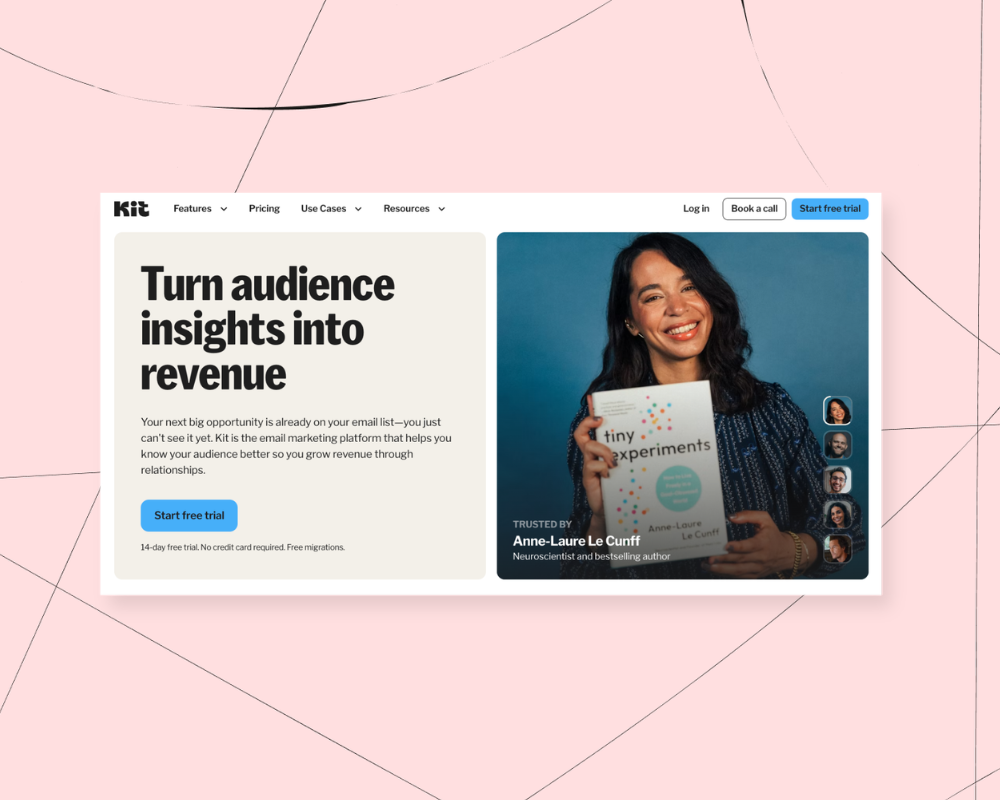

Kit (formerly known as ConvertKit) is a popular email marketing platform among creators. It's known for its visual automation builder, sign-up forms and landing pages, and detailed audience analytics, but is it the right choice for you?
In this Kit review, you'll hear from 31 former Kit users about the things they liked, the things they didn't like, and why they made the switch to Podia Email.
Your email marketing tool is one of the most important pieces of your online business. It's how you'll grow your audience, connect with followers, and promote your digital products. But important doesn't have to mean complicated and expensive.
Ideally, your email marketing platform will have enough features to do what you want without being overwhelming. Bonus points if it doesn't cost an arm and a leg.
While we were building Podia Email, we asked Podia users to share their experiences with other email platforms, both positive and negative, including Kit. Those conversations happened a while ago, so we've updated the product details throughout this review to reflect how Kit works today.
In this post, we share those findings, and we cover:
- What Kit's users like best about their email marketing tools
- Where Kit's previous customers ran into challenges with their product
- Why some of those users decided to switch to Podia for their email marketing
While we'd obviously love for you to choose Podia, we've tried to give an honest review rather than simply critiquing Kit because we want you to find the right thing for your business, no matter what you choose.
If you're looking for easy automations, newsletters, a built-in online community, courses, live events, and a full website that you can customize however you want, try Podia today with a free 30-day trial.
What are the best features of Kit?
Kit is an email platform where creators can grow their audience, connect with followers, automate their email marketing, and earn money from digital products and subscriptions.
You can start by making embeddable email opt-in forms and standalone landing pages to direct people to your list. When you're ready to send a broadcast or newsletter, Kit has a point-and-click email designer and a library of templates you can use as a starting point, or you can create a custom email from scratch.
You can also build automated campaigns using the visual automation builder and add tags and segments to your audience based on actions they take (like clicking a link in an email or purchasing a product).
Kit is built around email at its core, but it's grown well beyond that over the years. It now includes commerce features, a rebuilt landing page builder, and a newsletter site. For the pieces it doesn't cover, like a fully customizable website, blog, or a built-in community, you can connect other tools through Kit's App Store and integrations (though these likely will come with additional costs).
Of all these Kit features, these are the things that our survey respondents liked the most:
Kit has a free plan
Kit's free Newsletter plan lets you have up to 10,000 subscribers, and you can send unlimited broadcasts. You can make as many forms and landing pages as you like, run A/B tests on your broadcasts, tag and segment your audience, and even sell digital products and subscriptions.
The main thing you won't get on the free plan is automations. Visual automations, email sequences, and rules all live on the paid plans. You do get API access and Kit's free App Store apps, though the paid integrations are only for paying customers.
Create visual automations
Kit is well known for its visual automation builder, which lets you build detailed pathways, workflows, and funnels for your subscribers. One previous user specifically mentioned that they liked having "multiple funnels, triggers, and tags" to work with, and you can use as many segments and tags as you like to organize your audience.
Design emails and pages with pre-made templates
Other ex-users said they liked how Kit's email editor and landing page builder came with pre-designed templates, so they could make emails, opt-in pages, and landing pages quickly. The designs look good out of the box. All you have to do is add your text, images, and links, and you'll be on your way.
Kit also lets you make your own email templates that you can use again and again.
Track data and stats for each subscriber
Another area where Kit gets top marks is audience analytics. One respondent pointed out that they liked having "more information on each person in my audience, like where they click, which email they open, etc."
You'll have access to subscriber stats and subscriber scoring (available on the Pro plan) so you can see lots of information about your audience. For example, you can see which opt-in forms are most popular, which subscribers have gone cold, and which emails have the highest deliverability and open rates.
As we mentioned earlier, you can also use Kit to create unlimited tags and segments for your audience, so you always send the right message to the right people.
What did previous customers not like about Kit?
On the flip side, the former Kit users we surveyed weren't fans of the price and the complexity of the automations builder.
Kit’s pricing is expensive
37% of past users said their biggest problem with Kit was the high price tag.
There is a free Newsletter plan for up to 10,000 subscribers, but a lot of the features creators rely on live behind a paywall. If you want more functionality, you'll need to choose a paid Creator or Pro plan.
On both of these plans, pricing goes up as your list size increases. And if you use Kit to sell digital products, you’ll pay a 3.5% + 30c transaction fee on top of your monthly rate.
Here are some examples of what you can expect to pay on different Kit tiers with a list size of 1,000 subscribers.

And here’s how those prices look if your list grows to 10,000 subscribers.

So, what’s the difference between these plans?
With Kit's free Newsletter plan (up to 10,000 subscribers), you get:
- Unlimited landing pages
- Unlimited forms
- Unlimited broadcasts
- Audience tagging and segmentation
- Sell digital products and subscriptions
- Paid newsletters
- A/B testing for broadcasts
- API access and free App Store apps
With Creator, you get everything in free, plus:
- Unlimited automations and email sequences
- Paid third-party integrations
- Free migration from another tool
- 24/7 email and chat support
- One additional team member
And with Pro, you get everything in the previous two plans, plus:
- Unlimited team members
- Newsletter referral system
- Subscriber scoring
- Advanced reporting
It's nice to have a free plan, but it won't work for a lot of users because Kit gates important features like automations, paid integrations, and 24/7 support to the paid plans only.
You'll have to pay at least $33/month (for the Creator plan with up to 1,000 subscribers, billed annually, or $39/month billed monthly) to start experimenting with automated campaigns.
Plus, the visual automation builder is one of Kit's main selling points, but it's not available until you get on a Creator plan, and the price can climb quickly as your list grows.
Building automations and funnels can get complicated
Speaking of the visual automation builder, many respondents found Kit's automations too overwhelming to set up and manage. Some reviewers liked having lots of options, but other reviewers mentioned things like "the UI was clunky" and "segmentation was so complicated" as their top cons.
While it's true that you can do a lot of complex campaigns and workflows with Kit, most creators simply need a platform that can send emails and run some basic automations like welcome messages, sales funnels, and nurture sequences.
If it gets too complicated, email marketing can feel like a chore. Plus, no one likes logging into their email account and seeing a whole web of automations with no idea what anything does.
Creators typically don't want their businesses to be more complicated, and there's no reason to pay top dollar for features you don't actually need. Unless you're certain you need highly specific automations for your business, Kit could be more complicated and pricier than necessary.
Why are people switching from Kit to Podia?
When asked why they switched from Kit to Podia, respondents kept coming back to two things: how simple Podia's email editor is, and how much time and money they saved by running everything in one place.

Podia’s email tool is easy to use
Point, click, and customize. That's all you need to do to make your emails look amazing in Podia. You can pick a professionally designed template, blank slate, or use a previous email as a starting point so you don't have to reinvent the wheel each time you send a message.
Make a design you love? You can use it as a custom template in your broadcasts or email campaigns as many times as you like.
Within your emails, you can add text sections, columns, featured callouts, social media links, videos, CTAs, and files for your customers to download. And Podia's email templates come with advice for what to write in addition to design elements, so you'll never have to worry about knowing what to say.
Your email campaigns and automations are easy to set up too. You can create a new campaign, set an entrance and exit condition, and then add your emails using the same simple builder.

You can trigger a new campaign whenever someone signs up for your lead magnet, joins your community, gains access to a product, or exits another campaign. You can even fire campaigns whenever someone completes a particular lesson inside a course or joins your affiliate program, which brings me to the second reason people are switching to Podia.
Everything in one place saves you time and money
Over half of the people surveyed (54%) said the number one reason they switched from Kit to Podia was that they wanted to run all aspects of their business in one place. Many of the creators we heard from found that approach more straightforward, since they weren't connecting and paying for a stack of separate tools.
Most of the time, having everything in one place also saves you money. Kit is an email tool, so once you've paid for it, you'll still likely need a website and a course platform for the rest of your business.
Podia comes with your website, blog, community, digital products, and courses right alongside your email, so it's the only tool you need to pay for.
(Fun fact: Podia has a Kit integration. If you're happy with your Kit setup, you can still use Podia for your courses, site, and community.)
With Kit, you choose between plans with different email features, and the price climbs as your list grows. With Podia, every email feature is included on every plan. You start with 100 subscribers on Mover, 500 on Shaker, and 1,000 on Earthquaker, and you can add more capacity any time you need it.
With Podia, your products, customers, landing pages, opt-in forms, courses, affiliates, and website are all already connected to your email marketing. That means you can tailor how you email your followers based on whether they've bought a product, joined a waitlist, or shown interest in a particular topic, without juggling a dozen tags and integrations to make it happen.
Here are some of the specific ways Podia's all-in-one platform can make life easier:
- Run automated welcome emails whenever someone joins your email list
- Automatically send customized email sequences to customers after they purchase a particular product
- Message only people who have (or haven't) purchased a product
- Follow up with people who have joined your waitlist or added a product to their wishlist
- Send messages or campaigns to people when they complete a particular lesson in a course
- Set up lead magnets that funnel people into automated email sequences
- Use link clicks to add tags to subscribers, then create automated email sequences about the topics they're interested in
Having everything in one place makes it easier to keep an eye on your customer data, too. With Podia, you can see all your metrics, like open rates, new subscribers, purchases, and income generated from each email, in one dashboard.
If you want to consolidate your online business into one place and get rid of extra fees and integrations, Podia could be the right fit for you too.
Is Kit right for me?
Kit is a great option for content creators and small business owners who want a dedicated email platform with a deep, flexible automation builder. If you need to build detailed, highly specific customer journeys, and you're happy to pair Kit with separate tools for your website and courses, it could be a strong fit.
Podia is a better option for online creators who want to simplify their business with everything in one place. You can create unlimited emails and campaigns, use beautiful email templates (or design your own), build a full website, set up landing pages from scratch for any purpose you need them for, and sell any kind of product you imagine, from digital downloads to courses to coaching.
Since you won't need lots of extra tools and plugins, your overall business expenses will likely be lower than they would be if you cobbled everything together yourself.
For affordable, easy-to-use marketing that doesn't feel overwhelming, give Podia a try. Get started today with a free 30-day trial.
We can't wait to see what you make.


